



這在 WooCommerce 中是一件令人討厭的事情。基本上,如果在給定類別中只有 1 個產品,通知 「顯示單個結果」 將顯示在類別頁面的產品的頂部。那麼我們如何去除它呢?
以下是我們要刪除的內容:
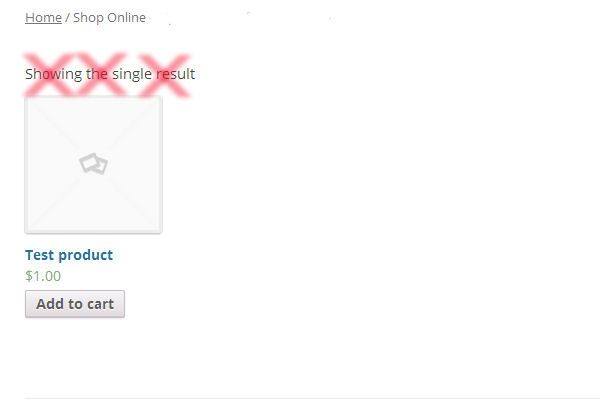 在 WooCommerce 中令人討厭的 「顯示單一結果」
刪除整個 WooCommerce 結果計數:
在這種情況下,我們要刪除 「顯示單個結果」,還有其他通知,顯示 「顯示 x – x 的 x 結果」 。基本上,整個功能。這可以用 PHP 實現,或者 – 更容易 – 用 CSS!
/* CSS that Removes All Showing Results */ p.woocommerce-result-count { display: none; } 另外,您可以在 functions.php 文件中使用 PHP:
// Removes showing results remove_action( 'woocommerce_before_shop_loop', 'woocommerce_result_count', 20 ); 在店面主題中刪除 「顯示單個結果」
// Removes showing results in Storefront theme add_action('init','delay_remove_result_count'); function delay_remove_result_count() { remove_action( 'woocommerce_after_shop_loop', 'woocommerce_result_count', 20 ); remove_action( 'woocommerce_before_shop_loop', 'woocommerce_result_count', 20 ); } 如何添加此代碼?
1 、您可以將 PHP 代碼片段放置在主題或子主題的 functions.php 文件的底部 (如果是 CSS 代碼,請添加到子主題的 style.css 文件底部) 修改之前建議先備份原始文件,若出現錯誤請先刪除此代碼。
2 、 WordPress 4.9 後改進了主題編輯器,對於 CSS 代碼也可打開網站前台編輯器的 【自定義】,複製代碼添加到自定義 css 中。
此代碼是否可用?
如需幫助或是您有更好的方案想分享?請到薇曉朵 WooCommerce 中文論壇留言告知,我們希望可以幫到更多國內的 WooCommerce 用户也希望您的參與。